

Co-Curricular Activities
We believe that education goes far beyond the classroom.
Our Co-Curricular Activities (CCA) programme is a key pillar of the holistic experience we offer every pupil.
More than just something to take part in after lessons, CCAs are woven into the fabric of school life—nurturing talent, building character, and encouraging pupils to discover new passions and develop lifelong skills.
Whether it’s sport, music, innovation, the arts, or service-based initiatives, we ensure every pupil has the chance to thrive beyond the curriculum.
Doha College Model United Nations (DCMUN)
Model United Nations is a dynamic simulation of the UN that helps our pupils develop leadership, communication, and negotiation skills, as well as a strong grasp of current affairs. As UN delegates, pupils research global issues, draft resolutions, speak publicly to defend their country’s position and build consensus. Through collaboration and respectful debate, they broaden their perspectives and become informed global citizens.
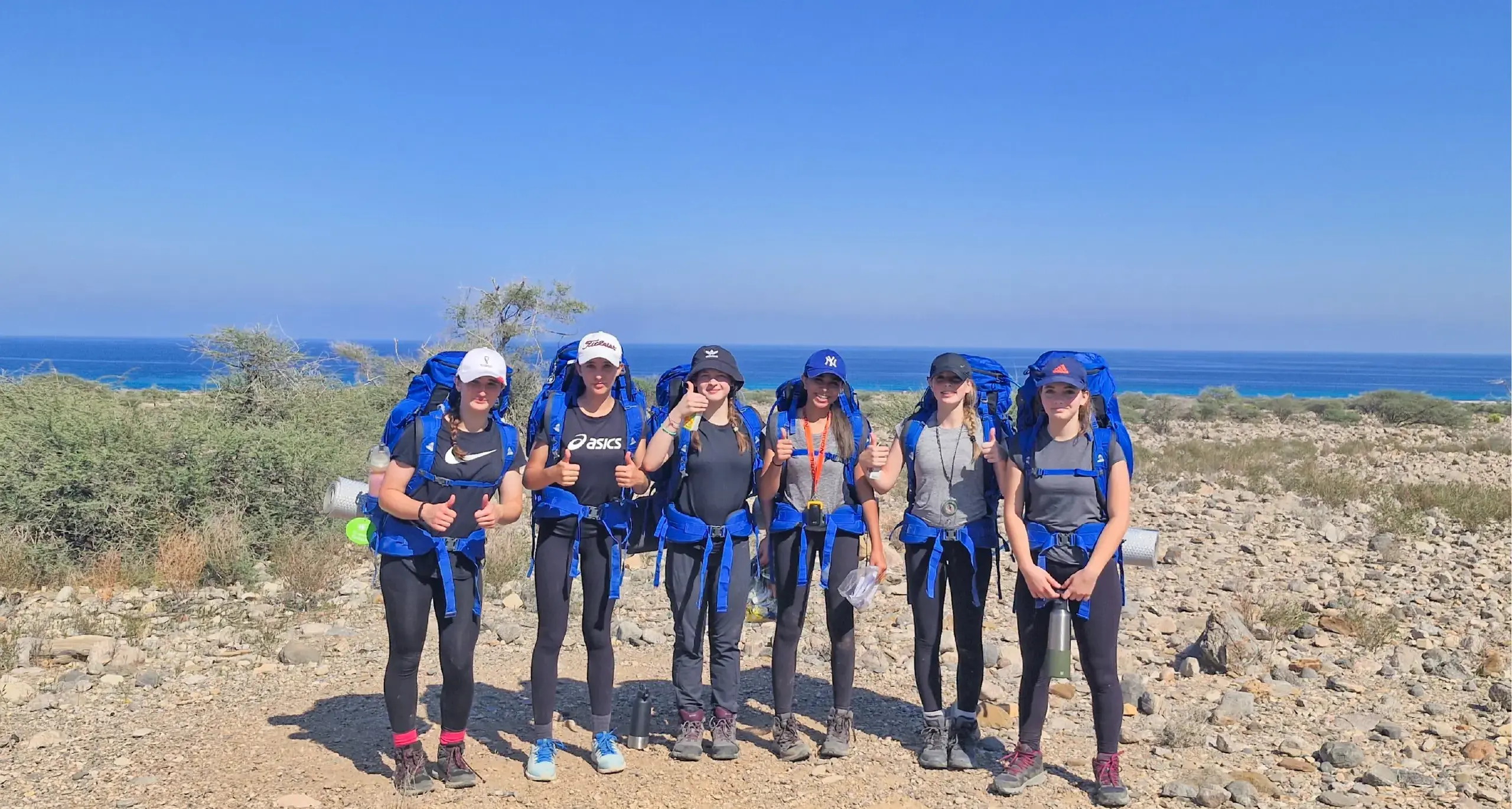
Duke of Edinburgh International Award
The Duke of Edinburgh’s International Award is a globally recognised self-development programme that empowers young people to build essential life skills, resilience, and confidence. Open to participants in over 144 countries, the award inspires nearly five million young people worldwide to challenge themselves, give back to their communities, and make a meaningful impact on the world.
Duke of Edinburgh International Award
CCA PARENT GUIDE
Discover the full breadth of opportunities available through the Doha College Co-Curricular Activities (CCA) Programme in our dedicated Parent Guide. Designed to provide families with a deeper understanding of the wide-ranging experiences on offer, the guide highlights how our CCA programme supports pupils in developing confidence, creativity, teamwork and lifelong passions beyond the classroom.
CCA FAQ's Key Stage 3
| When can I sign up for a CCA? |
|
| Where do I find SchoolsBuddy? |
| The SchoolsBuddy app is already downloaded on your school iPad. Simply log in using your usual school credentials. |
| I don’t know how to use SchoolsBuddy. What should I do? |
| Head over to your Year Group Google Classroom where you'll find the SchoolsBuddy Student Guide. This guide will walk you through everything you need to know. |
| I didn’t get the CCAs I wanted. Can I join different ones? |
Yes! Once the main sign-up window closes, you can submit a join request.
|
| Can I leave a CCA after it starts? |
| Yes – but there are a few things to know: You can withdraw from a CCA by completing the "Cancelling a CCA" Google Form in your Year Group Google Classroom. However, once both the sign-up and join request windows have closed, you won’t be able to join a different CCA until the next term. You can still complete the "Reserve" form (also in your Year Group Google Classroom), but please note that a place is not guaranteed. |
| How do I cancel a CCA? |
| Just complete the "Cancelling a CCA" Google Form available in your Year Group Google Classroom. |
| How do I know what CCAs are available? |
| Once the system opens, you can browse the full CCA programme directly in SchoolsBuddy. When sign-up and join requests close, the programme will be hidden until the next term’s CCAs are launched. |
| What if my younger sibling has a CCA on a different day than me? |
| No problem. You’re welcome to wait in the library. Please remember to follow all regular school rules, including those related to mobile phone use. |
CCA FAQ's Key Stage 4 & 5
Everything you need to know about getting involved in Co-Curricular Activities at Doha College.
| When can I sign up for a CCA? |
|
| Where do I access SchoolsBuddy? |
| SchoolsBuddy is already downloaded on your school iPad. Simply log in using your usual Doha College username and password. |
| I’ve never used SchoolsBuddy before – what do I do? |
| No worries! Visit your Year Group Google Classroom – there’s a SchoolsBuddy Student Guide that will walk you through each step. |
| I’m not happy with the CCAs I got – can I switch? |
Yes – there’s a join request process after sign-up closes:
|
| I want to stop a CCA – can I join another one instead? |
| You can leave a CCA by completing the "Cancelling a CCA" Google Form found in your Year Group Google Classroom. However, once the sign-up and join request windows have closed, you’ll need to wait until the next term to join a new activity. You may complete the Reserve Form (also in your Year Group Google Classroom), but please note this doesn’t guarantee a place. |
| How do I cancel a CCA? |
| Fill out the "Cancelling a CCA" Google Form in your Year Group Google Classroom. |
| Where can I see the list of available CCAs? |
| When sign-up opens, the full CCA programme will be viewable in SchoolsBuddy. Once the sign-up and join request windows close, you won’t see the current term’s programme until the next one is released. |
| Can I volunteer to help in a Primary CCA? |
Yes – and it’s encouraged, especially if:
To volunteer, complete the Primary CCA Volunteering Form found in your Year Group Google Classroom before the deadline. Late submissions cannot be accepted. |
| My younger sibling has a CCA on a day I don’t – what should I do? |
| You’re welcome to wait in the library until your sibling finishes. Just remember to follow all normal school rules, including those around mobile phone use. |
Hear from our pupils.
Our pupils will tell you why they love Doha College's Co-Curricular Activities (CCA) programme.
Primary Pick Up Points
Please see below for the designated pick-up points for collecting your child after their CCA.
| MUGA |
| CH-G39 |
| P3-Cooking |
| CH-G47 |
| Astro - 4G Pitch |
| CH-G58 |
| Sports Hall (Centre) |
| P2 - Languages |
| P5-Languages |
| Primary Assembly Hall |
| Primary Dining Hall |
| SP1 Building - Swimming Pool |